
Product Design
Can AI Tools Replace a Product Designer? An Honest Cost-Benefit Analysis
Jack Jenkins
|
|
12 Min Read
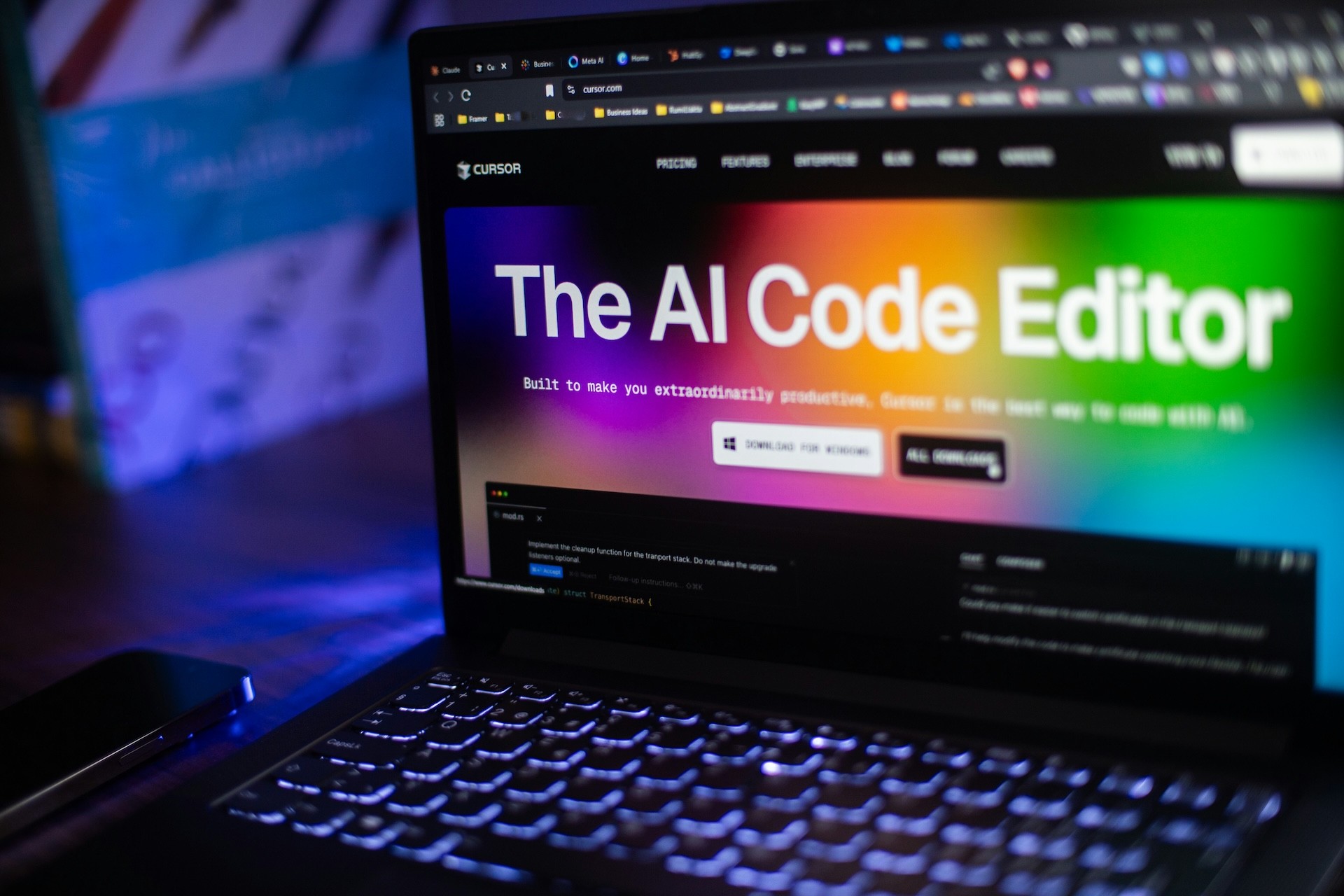
AI design tools are genuinely impressive. Tools like Claude Code, Cursor, Lovable, UXPilot, and Figma's AI features can generate interfaces in minutes, write functional code, and turn rough ideas into working prototypes faster than ever before. But can they replace hiring a professional product designer?
It's a question more founders are asking, and it's a fair one. If you can describe what you want and have AI build it for you, why would you spend thousands hiring someone to do the same thing?
This post gives you an honest answer. We'll look at what AI tools can actually do, where they fall short, when DIY makes sense, and when you're better off hiring help. By the end, you'll have a clearer sense of whether AI can handle your product design needs or whether you need human expertise.
What AI Tools Can Actually Do (And It's Impressive)
Let's start with what's genuinely possible with AI-powered design and development tools today, because it's worth acknowledging how far these tools have come.
Tools like Cursor and Claude Code can write functional code from natural language descriptions. You can describe a feature, and they'll generate working components, handle state management, and even debug issues as you go. Lovable can take you from concept to deployed product in a single session. UXPilot can analyse user flows and suggest improvements. Figma's AI tools can generate design variations, write copy, and speed up repetitive tasks.
For founders with some technical or design literacy, these tools are genuinely powerful. You can prototype ideas quickly, test concepts without writing a line of code yourself, and iterate on designs faster than traditional methods would allow. The barrier to entry for building digital products has never been lower.
If you're trying to communicate an idea to potential cofounders, investors, or early users, AI tools can help you create something tangible to show rather than trying to explain it in abstract terms. For internal tools where polish isn't critical, they can get you to "good enough" without a significant investment. And for validating whether an idea has legs before you commit serious budget, AI-powered prototypes can be exactly what you need.
The visual output can be genuinely impressive too. AI-generated interfaces often look modern, clean, and professional. The components work, the layouts are sensible, and at first glance, everything seems fine.
So why would you hire a professional designer if AI can do all this?
What AI Tools Can't Do (Yet)
Here's where the limitations start to show, and they're not always obvious until you're deep into building something.
The first major gap is strategic thinking. AI tools execute what you ask for, but they can't tell you whether you're asking for the right thing in the first place. They won't challenge your assumptions, question whether a feature is necessary, or push back when you're about to build something that distracts from your product's core value. If you want to add a feature that bloats your product and confuses users, AI will happily build it for you. A professional designer will tell you why it's a bad idea.
The second limitation is UX empathy. AI can create visually appealing interfaces using common design patterns, but it can't truly empathise with your users or understand the context in which they'll use your product. It defaults to generic solutions because that's what it's been trained on. It doesn't consider the specific needs, frustrations, or mental models of your actual users. It can't observe how people struggle with a flow, spot friction points that aren't obvious, or design around real human behaviour rather than idealised user journeys.
Attention to detail is another area where AI falls short. Professional designers obsess over the small things: how elements respond to interaction, what happens in edge cases, how the experience degrades on slower connections, whether the flow still makes sense when something goes wrong. AI tools generate the happy path, but products live in the messy reality of inconsistent data, unexpected user behaviour, and technical constraints. That's where the details matter, and where AI-generated designs often reveal their limitations.
AI also struggles with consistency and system thinking. It can create individual screens or components that look good in isolation, but building a cohesive product requires thinking about the whole system. How do design decisions in one area affect another? What patterns should be reused across the product? How does the information architecture support both current and future features? These are systemic questions that require stepping back and seeing the bigger picture, something AI isn't equipped to do.
Finally, AI tools lack judgement about when to break patterns. Good design sometimes means ignoring best practices because your specific context demands it. AI defaults to conventions because that's safe and usually works, but it can't make the nuanced call about when a non-standard approach would better serve your users.
The AI Amplifier Effect
Here's something crucial to understand: AI doesn't replace knowledge, it multiplies it.
If you have strong design fundamentals, understand UX principles, know how to evaluate whether a solution actually serves your users, and can spot problems in an interface, AI tools become incredibly powerful. They speed up execution, help you explore more variations, and let you focus on the strategic decisions while automating the mechanical work. In this scenario, AI is genuinely transformative.
But if you don't have that foundation, AI just helps you build the wrong thing faster. It amplifies whatever knowledge you bring to it. Give it a well-considered brief from someone who understands product design, and you'll get useful output. Give it a vague idea from someone who doesn't know what questions to ask, and you'll get something that looks professional but doesn't actually solve the problem.
The same applies to development. Claude Code and Cursor are extraordinary tools for someone who understands software architecture, knows how to structure code, and can evaluate whether the generated solution is maintainable. But if you don't have that expertise, you'll end up with code that works today and becomes a technical debt nightmare six months from now.
This is why you see some founders having great success with AI tools while others struggle. It's not the tools themselves, it's the knowledge being multiplied.
When DIY with AI Actually Works
So when does it make sense to go the DIY route with AI tools?
The clearest case is early validation. If you're testing whether an idea has market interest and you need something to show potential users, AI can get you there quickly and cheaply. You're not building your final product, you're building a conversation starter. In this context, rough edges don't matter. What matters is whether people engage with the concept.
DIY also works well when you're trying to communicate ideas internally or to potential partners. If you need to show a developer what you're thinking, or align a cofounder on the direction, a quick AI-generated prototype can be far more effective than wireframes or written descriptions. You're not building the product, you're building shared understanding.
If you already have design or development expertise, AI tools are excellent force multipliers. You can use them to speed up execution while still bringing strategic thinking, UX empathy, and attention to detail to the decisions that matter. In this scenario, you're not really doing DIY, you're using modern tools to be more efficient at your existing expertise.
For internal tools with low UX expectations, AI-generated solutions can be perfectly adequate. If you're building something that five people in your team will use occasionally, and the stakes are low if it's not perfect, why invest significant budget in polish? Get it working, iterate based on feedback, and move on.
The pattern here is clear: DIY with AI works when the stakes are low, the scope is limited, you already have relevant expertise, or you're in a learning and validation phase rather than building something that needs to scale or compete in a crowded market.
When You Need Professional Help
The flip side is equally important: when should you hire a professional product designer rather than attempting DIY?
If you're building a product that will be used by real customers who have alternatives, quality matters. User experience directly impacts conversion, retention, and word-of-mouth growth. Generic AI-generated designs won't differentiate you, and poor UX will cost you customers. In competitive markets, design quality is a business decision, not an aesthetic preference.
When your product has meaningful complexity, professional help becomes essential. If you're dealing with multiple user types, complex workflows, integration with existing systems, or features that need to work together coherently, you need someone who can think systemically about the whole product, not just generate individual screens.
You also need professional help when you're not sure what to build. If you're clear on the problem but uncertain about the solution, a professional can help you figure out the right approach before committing to execution. AI tools will happily build whatever you ask for, but they won't help you decide whether you're solving the right problem or building features that actually matter to users.
Strategic product decisions require expertise that AI doesn't have. Should this be one product or two? Should this feature launch now or wait? How do you prioritise when everything feels important? What's the MVP that actually validates your assumptions? These questions require judgement, experience, and often, someone willing to push back on your instincts.
If you're fundraising or courting enterprise clients, polish matters more than you might think. Investors and corporate buyers judge products partly on execution quality. A rough prototype might work for early validation, but when real money is on the table, you need something that inspires confidence. Professional design signals that you take your product seriously.
Finally, if your time is better spent elsewhere, hiring help makes economic sense. The opportunity cost of spending weeks learning design and struggling with AI tools might far exceed the cost of hiring someone who can deliver better results in a fraction of the time. Your job as a founder is to focus on the highest-value activities. Sometimes that's designing your own product. Often, it's not.
The Hidden Costs of DIY
The cost comparison between DIY and hiring help isn't straightforward. Yes, DIY appears cheaper upfront. You're paying for tools rather than people, and that feels like a significant saving. But there are costs that only become visible later.
The most obvious is time. Learning enough design to use AI tools effectively takes longer than you expect. The iteration cycles are slower because you're learning as you go. What a professional could nail in a week might take you a month of evenings and weekends. That's time you're not spending on sales, fundraising, operations, or any of the other things competing for your attention.
Then there's the quality gap. Even if you create something that looks acceptable, it probably has UX issues you haven't spotted because you don't have the trained eye to see them. Those issues affect your metrics in ways you might not connect back to design decisions. Lower conversion rates, higher drop-off, users getting confused and abandoning flows. These costs are real but hard to quantify.
Technical debt is another hidden cost. AI-generated code often works but isn't structured for maintainability or scale. Six months later, when you need to add new features or fix issues, you discover that what seemed like a shortcut has become a constraint. Rebuilding or refactoring takes longer than building it properly would have in the first place.
There's also the opportunity cost of building the wrong thing. Without strategic input, you might spend months building features that don't move the needle. A professional would have steered you towards higher-impact work, but when you're learning as you go, it's hard to know what you don't know. The cost isn't just the time spent building, it's the momentum lost by not focusing on what matters.
Finally, there's the pivot cost. If you build something with AI, launch it, and realise it's not quite right, making significant changes is harder than if you'd worked with a professional from the start. AI tools are great at generating new things, less good at thoughtfully evolving existing work. You might end up rebuilding rather than iterating, multiplying the time investment.
None of this means DIY is always wrong. But it's worth understanding the full cost rather than just comparing tool subscriptions against design fees.
Using AI Tools WITH a Professional
Here's where it gets interesting: the best outcome isn't choosing between AI and professional help, it's combining them.
Professional designers and developers use AI tools extensively. Claude Code speeds up development. Cursor helps with debugging and refactoring. Figma's AI tools accelerate repetitive tasks. UXPilot provides additional perspective on user flows. These tools make professionals more efficient and effective, not obsolete.
The difference is that professionals know what to ask for, how to evaluate what they get back, and when to override AI suggestions because the context demands it. They use AI to speed up execution while still bringing strategic thinking, UX empathy, and attention to detail that AI can't replicate.
If you're working with a product designer or developer who isn't using AI tools, they're probably not as efficient as they could be. But if you're using AI tools without professional expertise, you're probably not building what you think you're building.
The optimal approach for most founders is to use AI tools for early validation and communication, then bring in professional help when you're ready to build something that needs to perform in the real world. You get the speed and low cost of AI for the exploration phase, and the quality and strategic input of professionals for the execution phase.
You can also work with professionals who teach you to use AI tools more effectively. Rather than outsourcing everything, you learn to ask better questions, evaluate output more critically, and use AI to extend your own capabilities. This approach gives you more control while still benefiting from expertise where it matters most.
Making the Right Choice for Your Situation
So can AI tools replace a product designer? The honest answer is: it depends on what you're trying to achieve.
For early validation, internal tools, and communication, AI tools can absolutely handle your needs. For competitive products, complex workflows, and strategic product decisions, you need professional help. For the most effective outcome, you want professionals who use AI tools to amplify their expertise.
The question isn't whether to use AI or hire help. The question is what you're building, what stakes are involved, and what expertise you bring to the process. AI has changed the economics of digital product development, but it hasn't eliminated the need for strategic thinking, UX empathy, or professional judgement.
If you're wondering whether your specific situation calls for DIY or professional help, the best way to find out is to have a conversation. Most product designers (myself included) can quickly assess whether AI tools will serve your needs or whether you'd benefit from professional support. Sometimes the answer is to start with DIY and come back later. Sometimes it's to invest properly from the beginning. Either way, you'll make a more informed decision than trying to figure it out alone.
Book a call and we can talk through what makes sense for your product and where you are right now.